
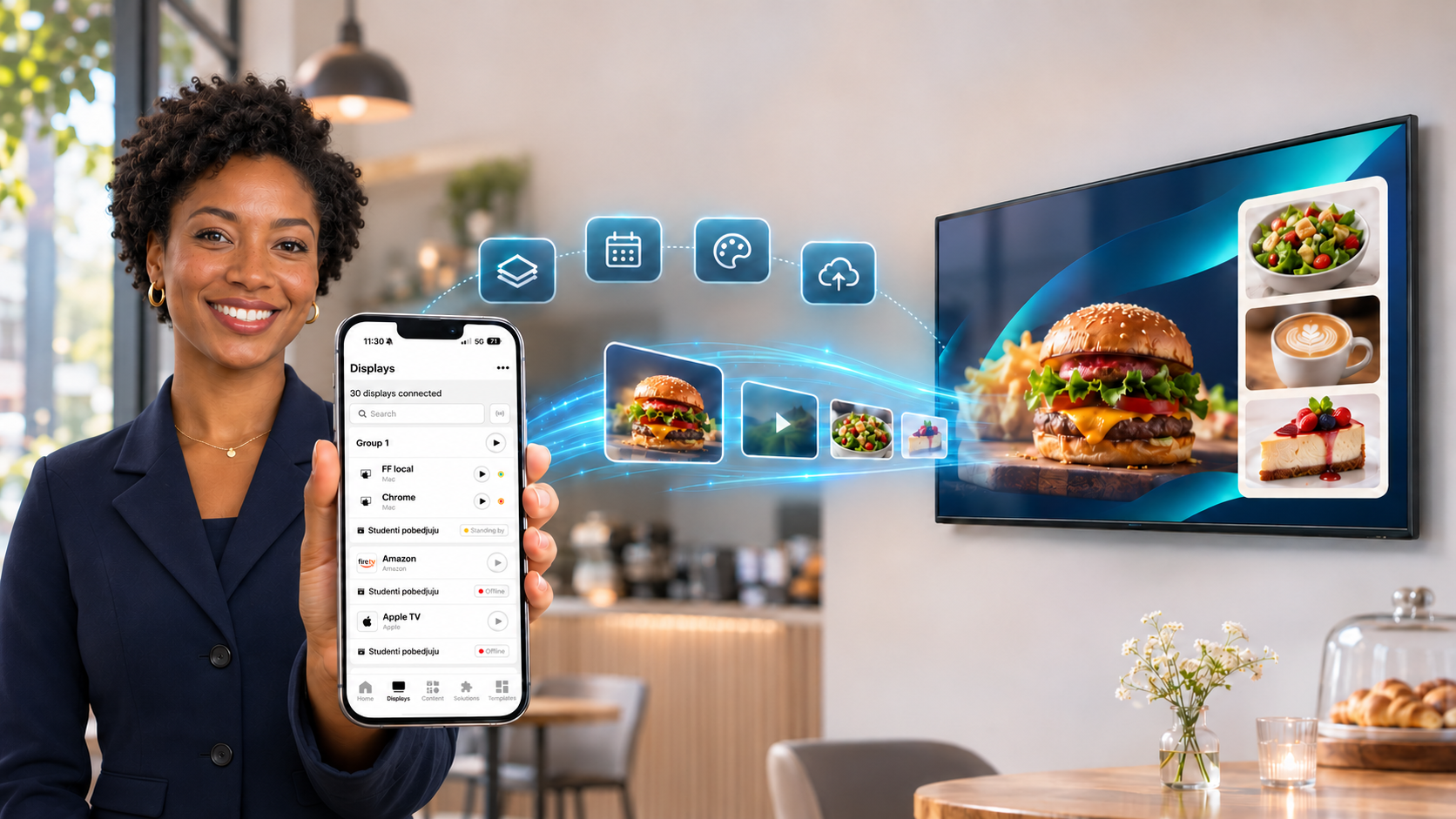
AdCast is digital signage software for small and growing businesses. This page lists every feature, from pairing a TV in seconds to designing content, scheduling playlists and playing several screens in sync.
AdCast feature
Manage everything from your phone
The whole digital signage system lives in the AdCast app for iOS and Android, so everyday changes take seconds instead of a trip to the screen or a computer.
Mobile-first management
Create content, update playlists and control screens from your phone or tablet. No desktop software or IT team needed.
Guided setup
Tell AdCast your industry, what you want to show and how many screens you have, and it sets up your first screen for you.
Live overview of your screens
The home dashboard shows how many displays are connected, which are playing and which are standing by.
Multilingual app
The app is available in many languages, so every team can work in the language it knows best.
Learn more: digital signage mobile app, digital signage software.
AdCast feature
Connect any screen in seconds
Turn an ordinary TV into a digital sign without buying proprietary signage hardware.
QR code pairing
Install AdCast Player on the TV, open it and scan the QR code with your phone. The screen is linked to your account in seconds.
Works with devices you already have
AdCast Player runs on Android TV, Google TV, Amazon Fire TV and LG webOS, and in any modern web browser.
Free first display
Your first display is free for 30 days, with no credit card required.
Learn more: digital signage player, download AdCast, Android TV digital signage guide, Fire TV digital signage.
AdCast feature
Remote display control
See and control every screen from wherever you are.
Live status for every display
See which displays are online and whether each one is playing, standing by or waiting for content.
Play, stop and refresh remotely
Start, stop or reload the content on any screen with a single tap.
Orientation and resolution
Set each display to horizontal 16:9, vertical 9:16, square 1:1 or a custom resolution, and flip the picture if the screen hangs upside down.
Remote screenshots
Request a screenshot from a display to check exactly what your customers see right now.
Background radio
Play an internet radio stream (MP3, AAC, OGG or HLS) behind your content, with a built-in test that confirms the link works.
PIN-protected player
A PIN code stops anyone standing at the TV from changing the player settings.
Learn more: cloud digital signage software, FAQ and support.
AdCast feature
Screen groups and synchronized playback
Run several screens as one, from a single control.
Display groups
Group screens and assign one playlist or schedule to all of them at once.
Synchronized playback
Every screen in a group starts the same playlist at the same moment and changes ads together, ideal for video walls, shop windows and multi-screen menu boards.
Per-screen control inside a group
See the status of each screen in the group and play or stop a single screen when you need to.
Learn more: retail digital signage, digital signage for restaurants.
AdCast feature
Built-in design editor and templates
Create professional screen content on your phone, without separate design software.
Templates for your industry
Start from ready-made templates for restaurants, cafés, bakeries, bars, gyms, beauty salons, clinics, pharmacies, retail, hotels, offices, schools, real estate, events and more.
Drag-and-drop editor
Add text with custom fonts and colors, images, photos from your camera, shapes, frames, stickers, animated stickers, backgrounds and gradients.
Smart widgets
Add a live clock, a countdown, scrolling text, a slideshow, price tags, a restaurant menu, opening hours, a QR code, a Wi-Fi QR code for guests or an embedded website.
Object animations
Make text and images fade, fly in, zoom or bounce, with control over timing and repeats and a live preview.
Precise editing tools
Layers, undo and redo, copy and paste, duplicate, snap guides, opacity, rotation and photo filters.
Any screen size
Design for horizontal, vertical, square or custom aspect ratios and keep your ads organized in folders.
Learn more: digital signage for restaurants, digital signage for gyms, digital signage for salons, digital signage solutions.
AdCast feature
Media library and Canva integration
Bring in the photos, videos and designs you already have.
Your content, connected
From your camera roll to every screen
Keep photos, videos and Canva designs in one visual library. When a design changes, AdCast gives you a clear signal before an old version reaches a display.
Import photos and videos
Upload images and MP4 videos from your phone gallery or file system, or take a photo with the camera, and sort everything into folders.
Canva integration
Connect your Canva account, browse your designs and import any design as an image or video, with no exporting or re-uploading.
Change detection
AdCast marks Canva designs that changed after you imported them, so your screens never show an outdated version.
Learn more: Canva for digital signage, digital signage CMS.
AdCast feature
Playlists and scheduling
Show the right content at the right time, automatically.
Playlists
Combine ads into playlists, set how long each one stays on screen, reorder them and send the playlist to a display or a group.
Weekly scheduling
Plan different playlists by day of the week, start time and duration, for example separate breakfast, lunch and dinner menus.
Instant remote publishing
Changes reach your screens over the internet, so there are no USB sticks to carry around.
Learn more: digital signage CMS, cloud digital signage software, digital signage for healthcare, digital signage for lobbies.
AdCast feature
Simple per-display pricing
Start small and add screens as your business grows.
Pay per display
Pricing is per display, billed monthly or yearly, so you only pay for the screens you actually use.
30-day free trial
Try your first display free for 30 days. No credit card is required to start.
Learn more: AdCast pricing.
How AdCast compares
Evaluating other digital signage platforms? See how AdCast compares with Yodeck, ScreenCloud, NoviSign, OptiSigns (all comparisons).
Frequently asked questions
Which devices does AdCast support?
AdCast Player runs on Android TV, Google TV, Amazon Fire TV and LG webOS devices, and in any modern web browser. You manage everything from the AdCast app for iOS and Android.
Can I manage my screens from my phone?
Yes. AdCast is built mobile-first: you create content, edit playlists, schedule content and control your displays from your phone or tablet.
Can several screens play in sync?
Yes. Put screens in a display group and they start the same playlist at the same moment and change ads together.
Can I schedule different content by time of day?
Yes. The weekly scheduler plays different playlists by day, start time and duration, so menus and promotions change automatically.
Does AdCast work with Canva?
Yes. Connect your Canva account in the app and import any design as an image or video, with no exporting or re-uploading.
Do I need special hardware?
No. AdCast works with ordinary TVs connected to a streaming device such as Amazon Fire TV or Android TV, and with Android TV, Google TV and LG webOS smart TVs.
Is there a free trial?
Yes. Your first display is free for 30 days and no credit card is required.